Google is giving AI a bigger role on its search results page. On desktop, users who are signed in to Google get a sidebar that lets them resume previous AI search conversations. The space below the search bar is also changing. For entrepreneurs, that raises a practical question: does your website provide enough information to stay visible while people compare options and ask follow-up questions?
Klusio helps you prepare for this: it surfaces relevant client questions, improves your website, and tracks your visibility in Google and AI. Below, you can read what preparation makes sense and how to approach it.
What is changing on the Google search results page?
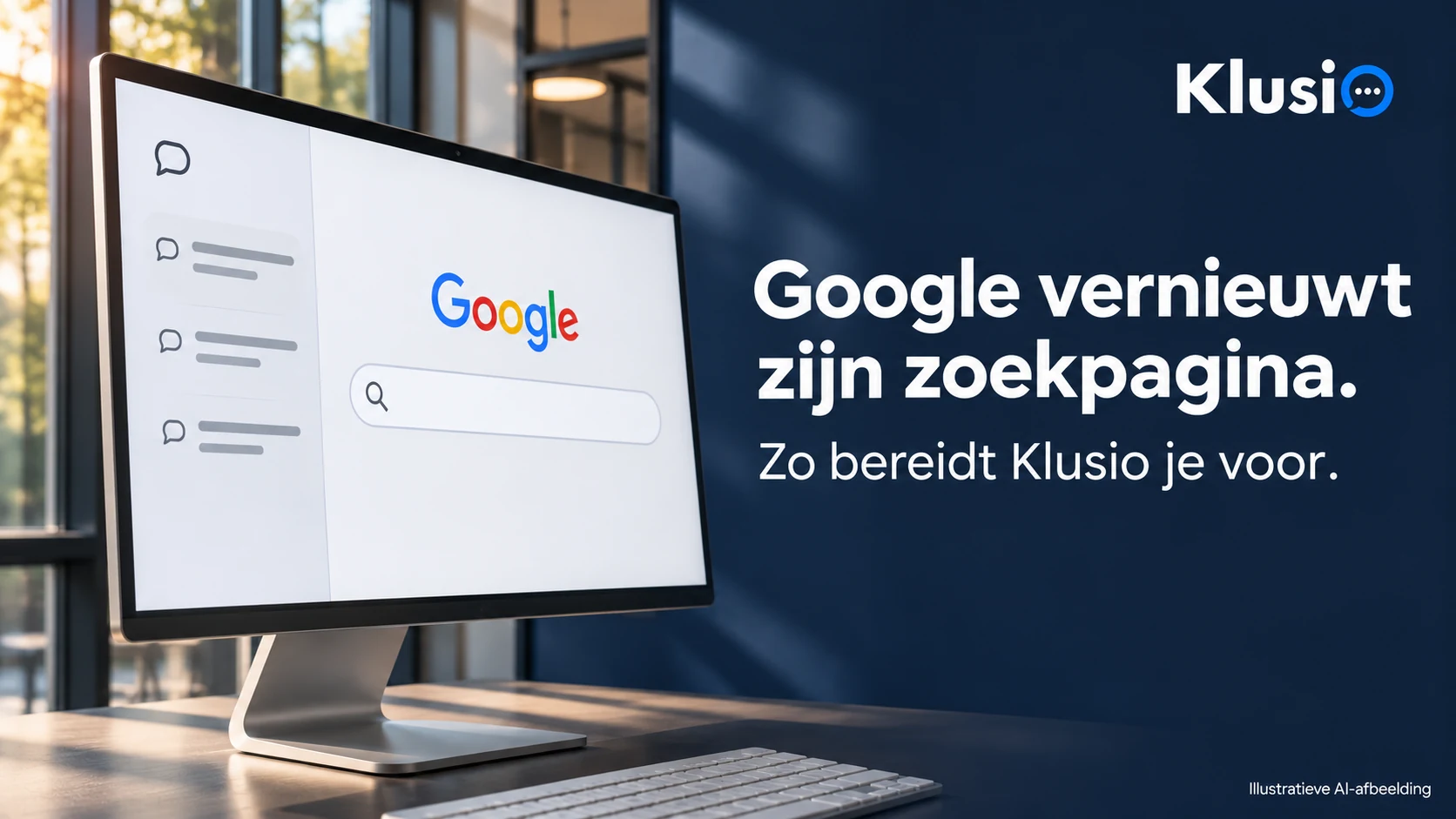
Robby Stein from Google announced the global rollout of a collapsible sidebar on desktop on November 19, 2026. This allows signed-in Google users to return to their recent AI search conversations. Google wants to make it easier to continue a search later. Read the official announcement.
In the new design, the area under the search bar also includes shortcuts for, among other things, creating images, analyzing files, and brainstorming. The separate “Google Search” button disappears from there. The search bar remains: you can still search as usual by pressing Enter. The new layout is described by 9to5Google and Ars Technica.
By AI search conversations, we mean earlier search questions and follow-up questions in AI Mode. Search Engine Roundtable describes this as an AI Mode sidebar; 9to5Google refers to Gemini chat history. We are following Google’s announcement about recent AI searches, and we do not infer from it that your full history from the separate Gemini app is being imported.
This is a rollout. So the announcement does not mean that every Dutch account already sees the new layout.
Watch the official demo
Search Engine Roundtable included the video from Google’s announcement in its post.
Watch the Google video at Search Engine Roundtable
Your customer can keep searching after the first question
With the sidebar, Google makes it easier to resume a previous search. For your website, a useful question is therefore: what information does someone need once they start comparing further?
An example. An entrepreneur searches for an accounting firm. Next, he wants to know which firm has experience with webshops, whether his accounting software is supported, and what is included in the monthly fee. A page that only promises “personal advice and good service” hardly helps him make that choice.
Google explains that AI Mode is suitable for in-depth questions and comparisons. In doing so, Google can run multiple related searches to compile an answer. That makes information about the details of your offering relevant to work on. It does not yet prove that your page will be cited because of that. See Google’s explanation of AI in Search.
Make one key page more specific
Choose a service that is important to your business and for which you regularly receive questions. Read the page as if you are getting to know your company for the first time. Can you decide based on this whether you want to get in touch?
- Who is this for? Name the type of client, the situation, and possibly your service area.
- What exactly do you get? Describe what you deliver, what is included, and what is agreed separately.
- What do the costs depend on? Provide real prices if you can. Otherwise, explain which choices determine the quote.
- What shows your experience? Add a relevant case study: the question, your approach, and the demonstrable result. Get approval in advance for any identifiable client information.
- How does someone continue? Make the next step clear, for example an introductory meeting or a targeted request for a quote.
- Knowing where to start. Klusio brings opportunities from Google, AI, and your website together in a task list.
- Having improvements carried out. The Groeimotor works on pages and internal links. You decide what can be automated and what needs approval first.
- Seeing what changes. In your dashboard, you track completed work, Google visibility, and measured AI mentions.
For the accounting firm in the example, that could be an explanation of webshop accounting, with supported systems and agreements about guidance. Use your own practical knowledge for that. A made-up client case study or a generic list of benefits does not help a hesitant client.
Place this explanation where a visitor expects it. Link to the page from related services and projects. You do not need to create a new article for every small follow-up question.
In Klusio, you use your own expertise and projects as the basis for such improvements. The Groeimotor can strengthen existing pages and create new pages where explanations are missing.
Also check what is outside your website
Are you active locally? Then check whether your Google Business Profile is still correct: category, services, address, and opening hours. Respond to reviews and ask clients to share their own experience. For regular local search results, Google mentions relevance, distance, and prominence. Reviews and references from other websites can play a role in that. Read how Google determines local results.
That explanation does not say how much a review counts in an AI Mode answer. Treat reviews as real experiences that clients can use to assess your business. Also check whether relevant industry profiles and publications describe your current offering correctly.
You do not need a separate AI trick
According to Google, no special AI files or separate schema markup are needed for AI Overviews and AI Mode. A page must be indexable and eligible to be shown with a text snippet. Accessible text and good internal links remain part of the basics. These are Google’s requirements.
So start with a working website and useful, relevant content. The new search results page is not proof that a new quality mark or technical file is suddenly required.
Measure whether your improvements deliver results
Write down which page you adjust, what you change, and when. Then compare, for example, impressions and clicks in Search Console in the weeks before and after your change. Take seasonal demand and ongoing campaigns into account. Google includes traffic from AI Overviews and AI Mode in the overall web search figures. So those totals do not isolate the effect of the new sidebar. This is how Google reports AI traffic.
Also track real enquiries: do they match the service and target group for which you improved the page? A click on your contact button is not yet an enquiry. You can also regularly retest the same client questions in AI Mode and save the answers with the date. One mention is not a fixed position and does not prove an enquiry.
With Klusio, you prepare your business for this
So you need to keep investigating what clients ask, improve your information, and see what that delivers. Klusio helps you do that work in a structured way.
Implementation depends on your plan and website integration. Klusio cannot guarantee a spot in an AI answer; it does help you actually organize the preparation and maintenance of your online search visibility.